
Quick Answer
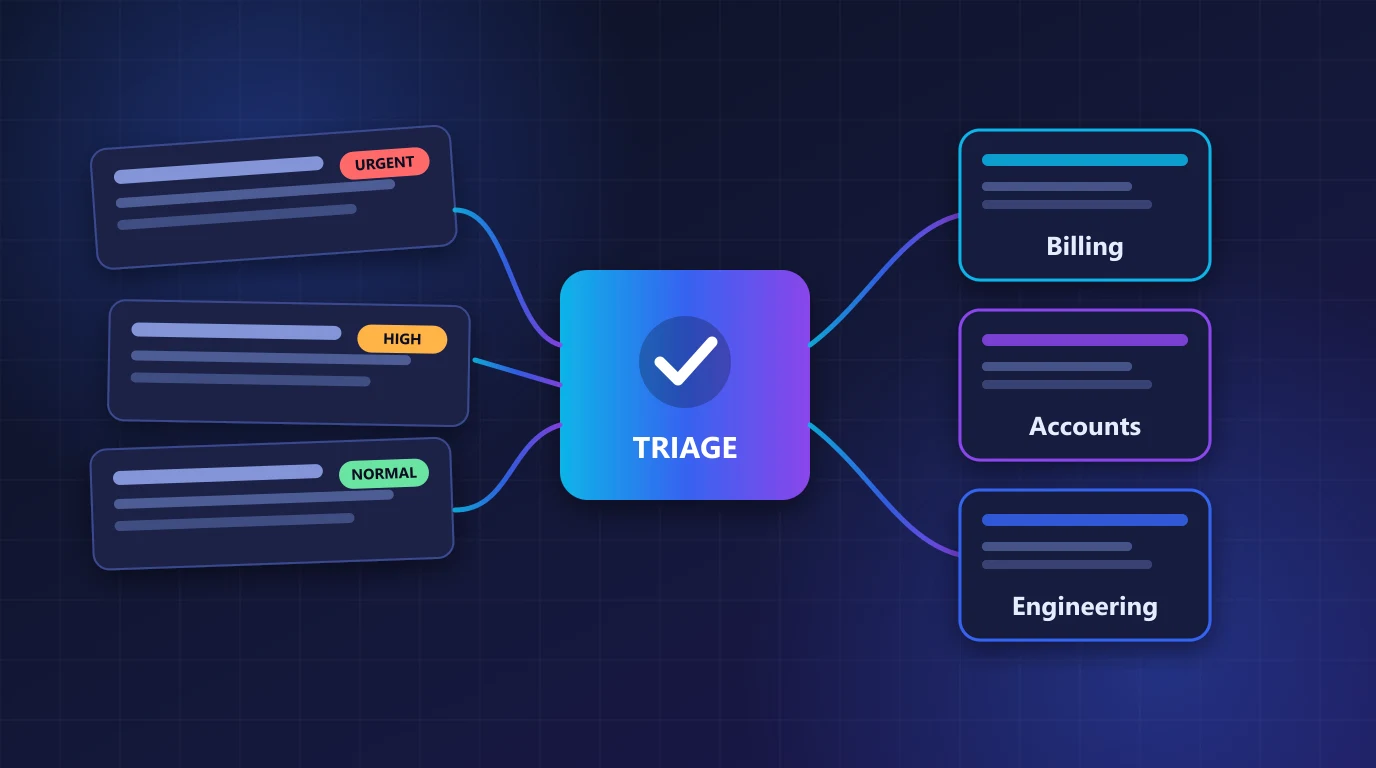
Send each new ticket to POST /api/v1/ai/ticket-analyze and read data.result. It returns the category, priority, sentiment, a one-line issue_summary, a suggested_department and a requires_human flag. Map those fields to your queues in a small Python function, and send anything with low confidence to a person.
A busy support inbox treats every ticket the same: first in, first out. An angry customer locked out of a paid account waits behind a question about invoice formats. In this tutorial you will build a small Python triage step that reads each new ticket, decides where it belongs and how urgent it is, and hands your helpdesk a clean summary. You need Python 3.9 or newer, the requests package and an RSFlowHub API key.
1. Why triage automatically
Manual triage is slow and inconsistent. Two agents label the same ticket differently, urgent tickets sit unread over a weekend and the people who are best at solving problems spend their time sorting. A triage step does three jobs before a human opens the ticket:
- Classifies it: billing, account access, bug report, feature request and so on.
- Ranks it: priority and urgency, so the worst problems are seen first.
- Summarises it: one sentence an agent can read in two seconds.
The goal is not to replace your agents. It is to put the right ticket in front of the right person sooner. Anything the model is unsure about should go to a human, and the code below does exactly that.
2. Write the analysis helper
Keep your key in an environment variable and call the API from your backend only. The helper below retries once when the API answers with HTTP 429 and returns None on any other failure, so a problem with triage never blocks ticket creation.
import os
import time

import requests

API_URL = "https://rsflowhub.com/api/v1/ai/ticket-analyze"


def analyze_ticket(ticket, subject=None, customer_context=None):
    """Return the analysis dict, or None if the ticket could not be analysed."""
    payload = {"ticket": ticket}
    if subject:
        payload["subject"] = subject
    if customer_context:
        payload["customer_context"] = customer_context

    headers = {
        "Content-Type": "application/json",
        "X-API-Key": os.environ["RSFLOWHUB_KEY"],
    }

    for attempt in range(2):
        try:
            res = requests.post(API_URL, json=payload, headers=headers, timeout=30)
        except requests.RequestException as exc:
            print(f"triage unavailable: {exc}")
            return None

        if res.status_code == 429 and attempt == 0:
            time.sleep(int(res.headers.get("Retry-After", "2")))
            continue

        if not res.ok:
            code = res.json().get("error", {}).get("code", res.status_code)
            print(f"triage failed: {code}")
            return None

        return res.json()["data"]["result"]

    return None
customer_context is optional but useful. A line such as Active Premium subscription, customer for 3 years helps the model weigh the ticket the way your own agents would. Do not put full personal records in it; send only what is needed to judge urgency. See how to redact personal data from tickets if tickets may contain card numbers or addresses.
3. Read the result
A successful call returns the standard RSFlowHub envelope. The analysis is inside data.result:
{
  "success": true,
  "request_id": "req_7f3a9c2d1e4b8a6f",
  "data": {
    "result": {
      "category": "account",
      "intent": "restore_access",
      "sentiment": "negative",
      "priority": "high",
      "urgency": "high",
      "issue_summary": "Customer is unable to access their account due to password reset failures.",
      "key_problem": "Password reset mechanism not restoring account access.",
      "requires_human": true,
      "suggested_department": "account_support",
      "recommended_action": "assign_agent",
      "language": "en",
      "confidence": 0.96
    }
  }
}| Field | Use it for |
|---|---|
category, intent | Which queue or label the ticket gets, and what the customer wants. |
priority, urgency | Sort order and SLA clock in your helpdesk. |
sentiment | Flag unhappy customers for a more careful reply. |
issue_summary, key_problem | The text an agent reads first. |
suggested_department, recommended_action | Automatic assignment hints. |
requires_human, confidence | Whether a person must handle it, and how sure the model is. |
4. Turn the result into routing
Keep the decision logic in your own code, not inside a prompt. That way you can read it, test it and change it without touching the API. Start small: one function that returns a queue name and a flag for human review.
from triage import analyze_ticket

MIN_CONFIDENCE = 0.7

# Your own queue names. Unknown values fall back to "general".
QUEUES = {
    "billing_support": "billing",
    "account_support": "accounts",
    "technical_support": "engineering",
}


def route_ticket(ticket, subject=None):
    analysis = analyze_ticket(ticket, subject)

    # The API failed: never block the ticket, put it in the general queue.
    if analysis is None:
        return {"queue": "general", "priority": "normal", "needs_review": True, "summary": None}

    unsure = analysis.get("confidence", 0) < MIN_CONFIDENCE
    return {
        "queue": QUEUES.get(analysis.get("suggested_department"), "general"),
        "priority": analysis.get("priority", "normal"),
        "needs_review": bool(analysis.get("requires_human")) or unsure,
        "summary": analysis.get("issue_summary"),
    }
Notice the two safety nets. If the API is unreachable, the ticket still lands in a queue. If the model is unsure or says a person is required, needs_review is true and an agent looks before anything automatic happens. Automation should make good tickets faster, not hide bad ones.
5. Process a backlog without hitting limits
When you first switch triage on you will want to label the tickets already in your helpdesk. Each plan has a per-minute request limit, so use a small worker pool instead of firing hundreds of calls at once.
from concurrent.futures import ThreadPoolExecutor

from routing import route_ticket


def backfill(tickets, workers=3):
    """tickets: list of dicts with 'id', 'subject' and 'body'."""
    with ThreadPoolExecutor(max_workers=workers) as pool:
        results = pool.map(lambda t: (t["id"], route_ticket(t["body"], t["subject"])), tickets)
        return dict(results)
Three workers is a safe start. If you see HTTP 429 responses, lower it; the helper already waits for the Retry-After value once. The limits and credits guide lists the limit for each plan and explains how calls are billed.
6. Test with realistic tickets
Before connecting triage to your live helpdesk, run a handful of real (anonymised) tickets and read the output yourself. Include the awkward ones: a short angry message, a long rambling one, a ticket in another language and one that is not really a support request.
from routing import route_ticket

samples = [
    ("I cannot log in. It keeps saying invalid password even after resetting it.", "Login issue"),
    ("Can you send me last month's invoice as a PDF?", "Invoice"),
    ("Your app crashed twice today and I lost my work. This is the third time!", "Crash"),
    ("Thanks, that fixed it.", None),
]

for body, subject in samples:
    print(route_ticket(body, subject))
Check that urgent tickets rank higher than routine ones, that the summaries are accurate, and that the closing "thanks" message does not create work. Adjust MIN_CONFIDENCE and your queue map until the results match how your team would have sorted the same tickets.
7. Common mistakes to avoid
- Trusting the output blindly. Treat the result as a recommendation. Keep a human in the loop for low confidence and for
requires_human. - Blocking ticket creation on the API. Triage should be a bonus step. If it fails, create the ticket anyway.
- Hard-coding department names from examples. Map values to your own queues and give unknown values a default.
- Sending secrets in the ticket body. Remove card numbers and passwords before analysis.
- Calling the API from the browser. The key must stay on your server.
- Never measuring. Compare automatic labels with what agents change. If they correct the same label often, adjust your routing rules.
Triage Every Ticket with One API Call
Ticket analysis returns category, priority, sentiment, a short summary and a routing hint in one JSON response. It works from Python, Node.js, PHP or any backend.
View Ticket Analysis API →Key Takeaways
- Call POST /api/v1/ai/ticket-analyze from your backend for every new ticket.
- Read category, priority, sentiment, issue_summary and suggested_department from data.result.
- Keep routing rules in your own code and map results to your own queues.
- Send low-confidence tickets and those with requires_human set to a person.
- Never block ticket creation if the API fails; fall back to a general queue.
- Use a small worker pool for backlogs and respect the Retry-After header on HTTP 429.


No comments yet
Be the first to share your thoughts on this article!