
Quick Answer
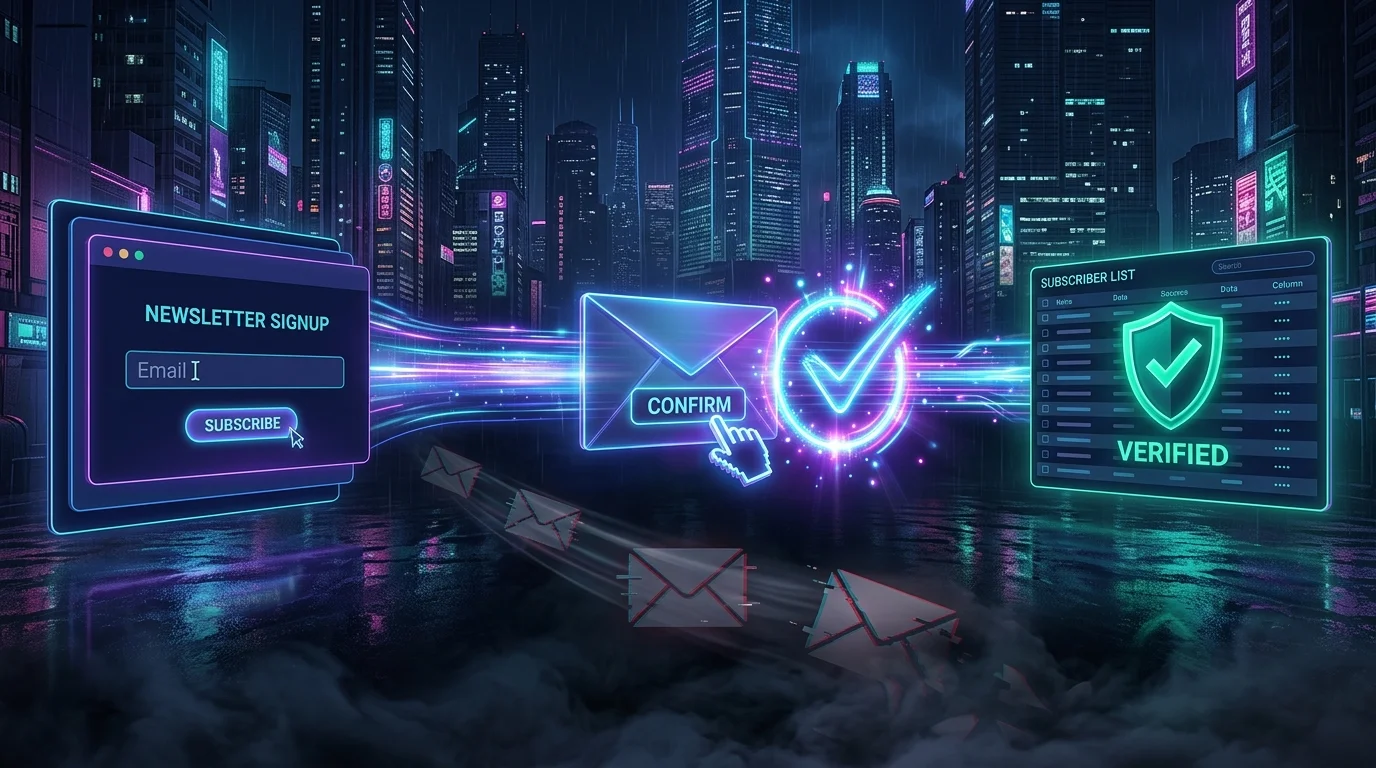
Double opt-in means a new subscriber must confirm their email address by clicking a link in a confirmation email before they count as subscribed. It stops typos, fake addresses and people signing up someone else, keeps your list clean, and gives you proof that each person agreed. With RSFlowHub Forms, every newsletter signup uses double opt-in automatically.
Newsletter lists fail quietly. A few typos here, a prankster there, a bot signing up thousands of addresses, and one day your emails start landing in spam. Double opt-in is the simplest fix, and it is also the safest way to prove that people actually asked to hear from you. This guide explains how it works, why it matters, what it costs you in sign-ups, and how it works in RSFlowHub Forms.
Single opt-in vs double opt-in
| Single opt-in | Double opt-in | |
|---|---|---|
| Step 1 | Visitor enters their email. | Visitor enters their email. |
| Step 2 | Added to the list immediately. | A confirmation email is sent; they must click the link. |
| List quality | Includes typos, fake and mistyped addresses. | Only addresses that proved they can receive mail. |
| Proof of consent | Weak: anyone can type anyone's address. | Strong: the owner of the inbox clicked. |
| Sign-up numbers | Higher raw count. | Lower count, higher quality. |
How the flow works, step by step
- A visitor submits their email in your signup form.
- The address is stored as waiting, not as a subscriber.
- An email goes out with a confirmation link that is valid for a limited time.
- The visitor clicks the link, and only then does the address count as confirmed.
- If they never click, the address stays waiting and is eventually removed.
Why double opt-in is worth it
- Protects deliverability. Mailbox providers watch how many of your messages bounce or get marked as spam. A list of confirmed, real addresses keeps those numbers low.
- Stops abuse. Without confirmation, anyone can subscribe a stranger, and the stranger may report you. With it, the stranger simply never clicks.
- Catches typos. gmial.com never confirms, so it never pollutes your list.
- Gives you evidence. If someone asks how you got their address, a recorded confirmation answers it. Many data-protection regimes expect you to be able to show consent; double opt-in is the common way to do that, though you should check what applies to your situation.
- Filters low-intent sign-ups. People who confirm are more likely to open what you send.
The honest trade-off
Double opt-in costs you some sign-ups: a share of people never open the confirmation email, and some of those emails land in spam folders. You trade a bigger list for a better one. For most small sites, a smaller list of people who want your mail beats a large list that damages your sending reputation, but it is a real cost and you should plan for it with the tips below.
If your sending domain has no proper SPF and DKIM records, confirmation emails are far more likely to be filtered, and your list will look empty. Check your domain's email authentication before you launch a signup form.
How RSFlowHub Forms does it
Create a Newsletter signup form in Dashboard → Forms and paste the embed code on your site, or call the API from your own markup:
curl -X POST https://rsflowhub.com/api/v1/forms/subscribers \
  -H "X-Form-Token: fm_sec_YOUR_FORM_TOKEN" \
  -H "Content-Type: application/json" \
  -d '{"fields": {"email": "reader@example.com"}, "consent": true}'
The person is stored as waiting and receives an email with a confirmation link valid for 7 days. Only after they click it do they count as a subscriber. The API answers identically for every address, new or already known, so your form cannot be used to find out who is on your list. Your dashboard shows three groups: Waiting, Confirmed and Unsubscribed, each searchable.
Unsubscribe links and exports
Export your confirmed subscribers as CSV at any time. Each row contains that person's permanent unsubscribe link: put it in every email you send from your own tool, so people can leave with one click and you can honour that choice. Making it easy to leave is part of being a trustworthy sender, and it keeps spam complaints down.
Sending your newsletter
RSFlowHub Forms collects and stores your signups; it does not send your newsletter. You export the confirmed list and send with your own email tool. That separation is deliberate: you keep full control of your sender reputation, your templates and your sending schedule, and the signup form stays simple. If you want signups pushed to another system automatically, the Pro plan's signed webhook sends each confirmed subscriber to an https address you choose.
Getting more people to confirm
- Tell them what happens next. Use the thank-you text to say "Check your inbox and click the confirmation link."
- Name your sender clearly so the confirmation email is recognised, and mention that it may land in spam.
- Promise one clear thing, such as a weekly tip, so people have a reason to complete the step.
- Watch the Waiting list. A large pile of waiting addresses is an early warning that confirmations are being filtered.
- Authenticate your domain with SPF and DKIM before launch.
Privacy and retention
Turn on the privacy checkbox so a signup cannot be sent without consent, and the time of acceptance is stored. Signups that were never confirmed are removed after 30 days whatever retention you choose, and confirmed subscribers are never deleted automatically. For one person's access or erasure request, use Privacy requests on the Forms page to download or delete everything stored about their email address. You remain responsible for your own privacy policy and legal basis.
Signup forms attract bots as well as readers: see Contact Form Without a Backend for how spam is filtered, and Detect Contact Form Spam with Python if you want your own checks too.
Collect Newsletter Signups with Double Opt-In
Double opt-in, one-click unsubscribe links and CSV export are built in. Setup is described in the Forms docs.
See RSFlowHub Forms →Key Takeaways
- Double opt-in means a subscriber counts only after clicking a confirmation link in their inbox.
- It keeps your list clean, protects deliverability and gives you evidence of consent.
- It costs some sign-ups, so tell people to look for the confirmation email.
- Set up SPF and DKIM first, or confirmation emails may never arrive.
- Include each person's unsubscribe link in every newsletter you send.
- RSFlowHub Forms stores and confirms signups; you send newsletters from your own email tool.


No comments yet
Be the first to share your thoughts on this article!